

Odoo Communication
Simple & Seamless WhatsApp Click-to-Chat
Add a WhatsApp button directly to Odoo Contacts, Leads and Opportunities. Open a WhatsApp chat instantly using the phone or mobile number already stored on the record — with no API key, Business API account or monthly cost.
One-Click Chat
No API Key
Zero Configuration

WhatsApp Click-to-Chat
Open WhatsApp conversations directly from Odoo Contacts, Leads and Opportunities.
No API Key
Connect to WhatsApp without a Business API account, API key or
webhook
One-Click Chat
Open a WhatsApp conversation directly from an Odoo record
Free Forever
No monthly cost, per-message charges or premium messaging plan
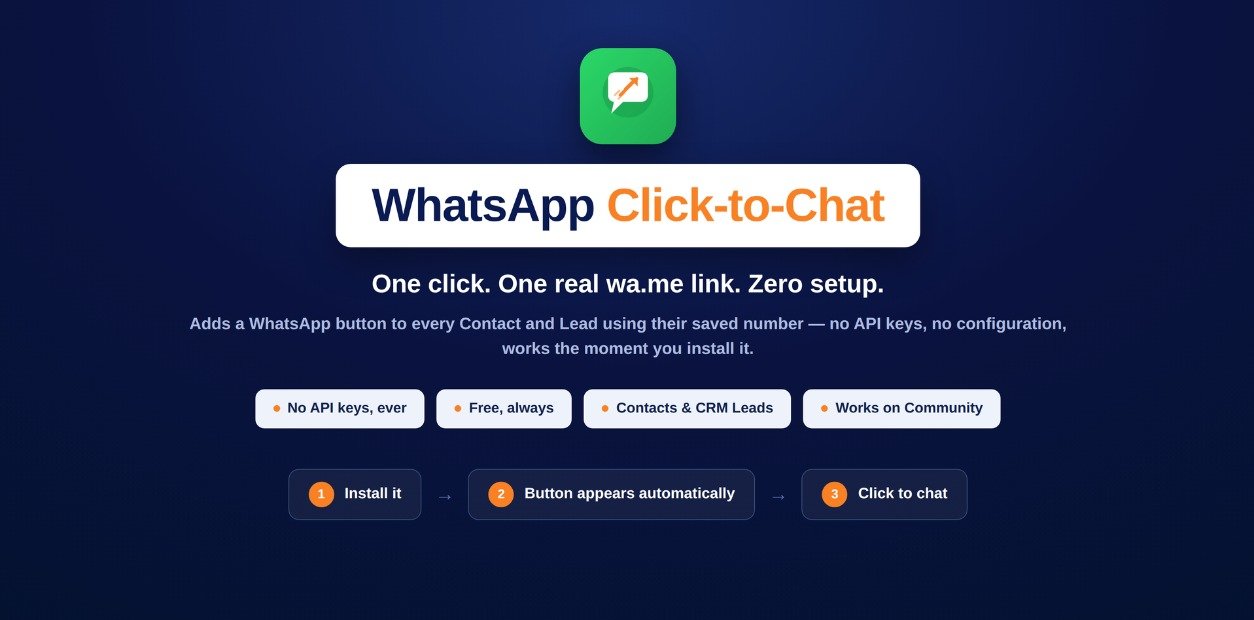
Product Overview
Connect Odoo Records Directly to WhatsApp
WhatsApp Click-to-Chat adds a dedicated WhatsApp button to Odoo Contacts and CRM records, allowing users to start a conversation using the phone or mobile number already stored on the record.
The module uses WhatsApp's standard wa.me click-to-chat link, so there is no requirement for a WhatsApp Business API account, API key or webhook.
When the button is clicked, WhatsApp opens with the contact's phone number ready for chat. Users still type and send the message themselves.
Key Features
Simple Features for Faster Customer Communication
Start WhatsApp conversations from Odoo without complex integrations, API configuration or additional messaging services.
One-Click WhatsApp Chat
Open a WhatsApp conversation directly from an Odoo Contact, Lead or Opportunity with a single click.
Contact Integration
Add a WhatsApp button automatically to Contact forms when a phone or mobile number is available.
CRM Integration
Use the same WhatsApp button on Leads and Opportunities to contact prospects directly from your CRM workflow.
No API Key Required
Start using WhatsApp click-to-chat without configuring a WhatsApp Business API account, API key or webhook.
Default Country Code
Optionally configure a default country code for phone numbers that are saved without an international country code.
Zero Configuration
The WhatsApp button is available automatically after installation for records that contain a valid phone or mobile number.
Use Cases
WhatsApp Communication Across Your Odoo Workflow
Give sales and customer-facing teams a faster way to start WhatsApp conversations directly from the records they already use.
Odoo Contacts
Start a WhatsApp conversation directly from a Contact using the phone or mobile number stored on the record.
CRM Leads
Contact prospects through WhatsApp directly from Lead records without switching between applications.
Opportunities
Start customer conversations from Opportunities and keep WhatsApp communication closer to your sales workflow.
Installation & Configuration
Get WhatsApp Click-to-Chat Running in Two Steps
Install the module and start opening WhatsApp chats directly from supported Odoo records. An optional country code setting is available when required.
WhatsApp Click-to-Chat
The WhatsApp button becomes available automatically on Contacts, Leads and Opportunities that contain a phone or mobile number. No API setup is required.
01
Install the App
Install WhatsApp Click-to-Chat from your Odoo Apps environment. CRM is included automatically if it is not already installed.
02
Open a Contact or CRM Record
Open a Contact, Lead or Opportunity that contains a phone or mobile number.
03
Click WhatsApp
Click the WhatsApp button to open a WhatsApp click-to-chat window with the contact's number.
04
Optional Country Code
If some phone numbers do not contain a country code, configure a default country code from Odoo General Settings.
Compatibility
Designed for Your Odoo Environment
WhatsApp Click-to-Chat integrates directly with Odoo Contacts and CRM workflows without requiring third-party API services.
Odoo 19 Community & Enterprise
The module is designed for Odoo 19 and works with Odoo Community and Enterprise environments. It uses the standard WhatsApp click-to-chat method without requiring WhatsApp Business API access.
Screenshots
See WhatsApp Click-to-Chat in Action
Explore how the WhatsApp button appears across Odoo Contacts and CRM records and how the optional country code setting is configured.


Why WhatsApp Click-to-Chat
Simple WhatsApp Access Without API Complexity
Get the convenience of WhatsApp click-to-chat without setting up Business API services or automated messaging infrastructure.
No Business API Account
No Meta Business account, WhatsApp Business API approval or webhook infrastructure is required.
No Per-Message Cost
The module uses a standard wa.me click-to-chat link and does not introduce per-message charges.
Messages Are Not Sent Automatically
Clicking the button only opens the WhatsApp chat. The user still writes and sends the message manually.
Uses Existing Phone Numbers
The chat link is generated from the phone or mobile number already stored on the Odoo record.
International Number Support
Numbers already containing a country code such as +91 or 0044 are used as entered.
No Dead WhatsApp Button
If a Contact does not have a phone or mobile number, the WhatsApp button simply does not appear.
Support & Contact
Need Help with WhatsApp Click-to-Chat?
If you have questions about the module, configuration or custom Odoo requirements, reach out to the VayaSoft team.
Email Support
Have a question about the module? Contact us directly at info@vayasoft.com
VayaSoft
Learn more about VayaSoft and our Odoo solutions through our
official website.
Visit VayaSoft →
Get Started
Start WhatsApp Conversations from Odoo
Add a simple WhatsApp button to Contacts, Leads and Opportunities. Open chats with one click and connect with customers faster without API keys, Business API setup or monthly messaging costs.