

Odoo Account Security
Stronger & Safer Odoo Password Security
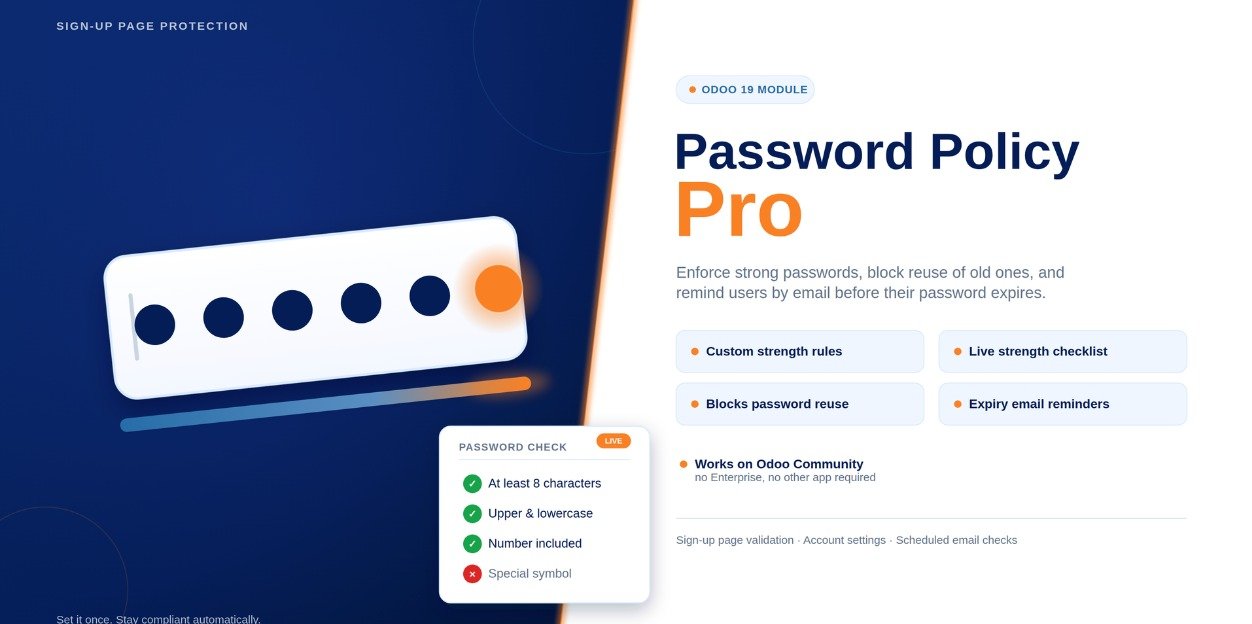
Enforce stronger passwords across your Odoo environment with configurable password rules, live strength validation, password reuse prevention and automatic expiry reminders.
Strong Passwords
Live Validation
Expiry Reminders

Password Policy Pro
Strengthen Odoo account security with configurable password policies, reuse protection and expiry reminders.
5 Strength Rules
Configure length, uppercase, lowercase, digit and special character
requirements
Live Validation
Show users a real-time green and red password checklist while they
type
Expiry Reminders
Track password expiry and automatically remind users before expiry
Product Overview
Protect Odoo Accounts with Stronger Password Policies
Password Policy Pro adds configurable password security rules to Odoo, helping organizations enforce stronger passwords across their user accounts.
Users receive live feedback while creating or changing passwords, making it clear which security requirements have been satisfied before the password is submitted.
The module also supports optional password reuse blocking and password expiry reminders, giving administrators additional controls for ongoing account security.
Key Features
Complete Password Security for Odoo Users
Password Policy Pro provides practical password controls that work across the important password-related workflows in Odoo.
Configurable Password Rules
Configure password requirements for minimum length, uppercase letters, lowercase letters, digits and special characters.
Live Password Validation
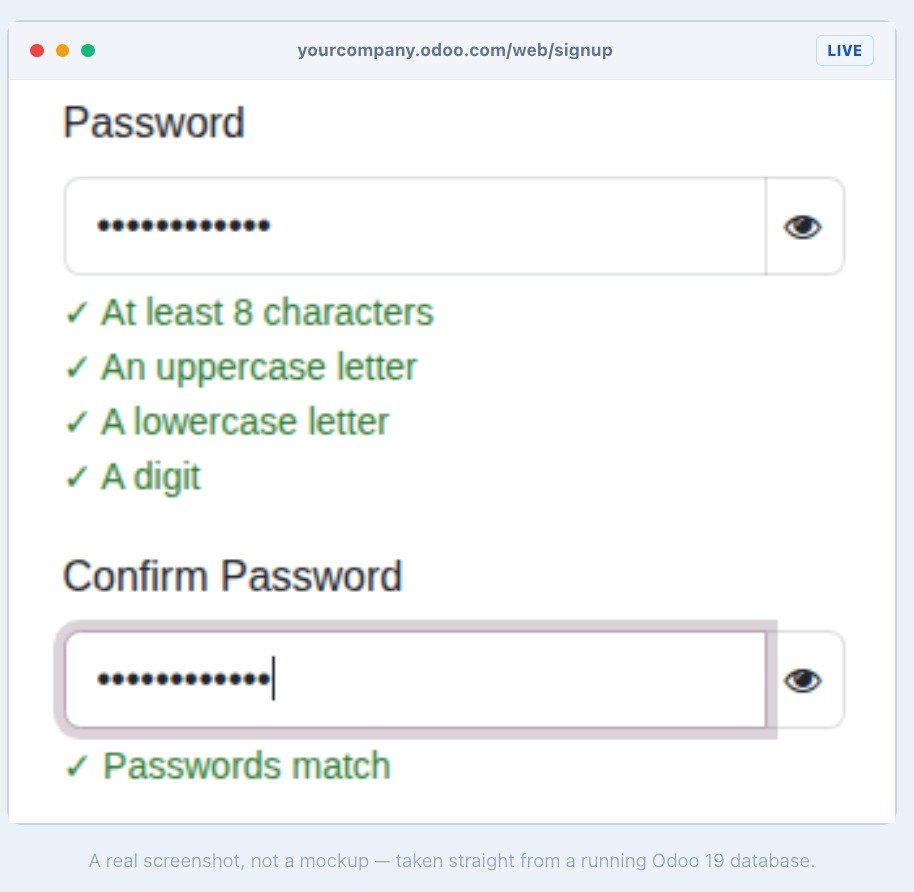
Display a live green and red checklist as users type their passwords, helping them understand the required security rules.
Password Reuse Prevention
Optionally prevent users from reusing recent passwords using secure hash-based comparison.
Password Expiry Reminders
Set optional password expiry controls and send automatic reminder emails before passwords reach their expiry period.
Server-Side Enforcement
Password rules are enforced on the server so password validation cannot simply be bypassed through the user interface.
Simple Configuration
Manage password security settings from one configuration screen without requiring XML changes or Odoo Studio.
Password Security Workflows
Protect Passwords Across Every Important Odoo Path
The same password policy is applied across the main password workflows so users cannot easily bypass your configured requirements.
Self-Service Password Change
Apply password rules when users change their own passwords from their Odoo account settings.
Admin-Set Password
Enforce the configured password policy when an administrator sets or changes a user's password from the Users menu.
New User Sign Up
Validate passwords for invited or self-registered users during the Odoo account creation process.
Password Reuse Control
Reduce the risk of repeated credentials by optionally blocking the reuse of recently used passwords.
Expiry Notifications
Notify users before their password expires so they can update their credentials in advance.
Centralized Security Policy
Maintain consistent password requirements across your Odoo environment from a single settings screen.
Installation & Configuration
Configure Password Security in a Few Simple Steps
Install the module, activate it in your Odoo environment and configure the password security rules from the available settings.
Password Policy Pro
Install the module in your Odoo environment, update the Apps list and configure the password policy from the module settings. The default settings are ready to protect new passwords without requiring additional configuration.
01
Install the Module
Install Password Policy Pro from your Odoo Apps environment or add the module to your custom addons directory.
02
Update the Apps List
Update the Odoo Apps list so the Password Policy Pro module is available for installation.
03
Configure Password Rules
Configure minimum length, uppercase, lowercase, digit and special character requirements according to your security needs.
04
Enable Optional Security Controls
Enable password reuse prevention and password expiry reminders when additional account security controls are required.
Compatibility
Built for Modern Odoo Environments
Password Policy Pro is designed to provide password security controls across Odoo Community and Enterprise environments.
Odoo 19 Community & Enterprise
The module is designed for Odoo 19 and works with both Community and Enterprise editions. It does not require Odoo Enterprise-specific features to enforce the password policy.
Security Coverage
One Password Policy, Multiple Security Layers
Password Policy Pro combines password strength validation, server-side enforcement, reuse prevention and expiry reminders into one security solution.
Strength Validation
Password requirements are checked as users enter their credentials, providing immediate feedback before the password is submitted.
Server Enforcement
Password rules are enforced at the server level across supported password workflows rather than relying only on front-end validation.
Support & Contact
Need Help with Password Security?
If you have questions about Password Policy Pro, configuration or custom security requirements, reach out to the VayaSoft team.
Email Support
Have a question about the module? Contact us directly at info@vayasoft.com
VayaSoft
Learn more about VayaSoft, Odoo solutions and our technology
services through our official website.
Visit VayaSoft →
Get Started
Strengthen Your Odoo Account Security
Enforce stronger passwords, provide live validation, prevent password reuse and remind users before passwords expire. Secure your Odoo environment with Password Policy Pro.